
Overclocking Your Bitaxe Gamma: A Stepped Approach (and When to Stop)
A conservative, measurement-first framework for tuning a Bitaxe Gamma without treating somebody else's voltage, frequency or temperature as a universal safe limit.
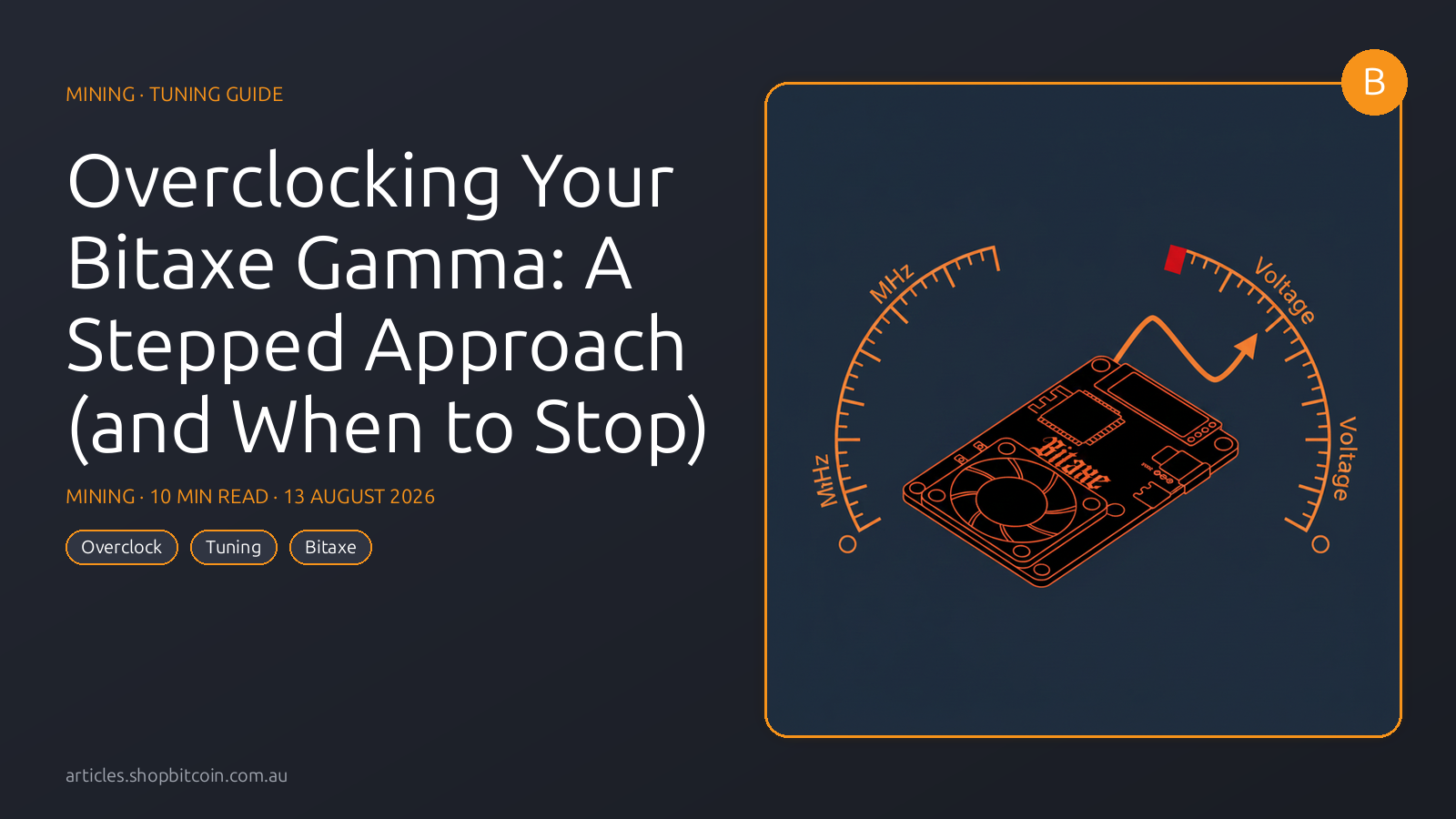
A stock Bitaxe Gamma ships at 490 MHz and 1.20 V. That’s 1.20 TH/s at ~17 W — 14.2 J/TH. These are conservative numbers. They’re designed to land every chip the factory ships inside a safe envelope, with headroom for the worst silicon and the worst thermal conditions.
Your specific chip is probably better than that.
How much better depends on the silicon lottery — the wafer-level variance in dopant concentration, transistor switching speed, and thermal characteristics that makes every ASIC subtly different. Some Gammas run flawlessly at 560 MHz / 1.26 V. Some give up at 515 MHz. You won’t know until you measure.
This piece is the methodology we use to dial in customer units before shipping (yes, we do a pre-tune on request). It’s conservative. It won’t give you the highest number — it’ll give you the highest stable number, which is what you actually want if you’re leaving the miner on 24/7.
What you’re tuning
Two dials:
- Frequency (MHz) — how fast the ASIC clocks. More MHz = more hash attempts per second. Costs power proportionally.
- Voltage (mV) — how much juice the core runs on. Higher voltage lets the chip clock higher stably; lower voltage is more efficient but caps your achievable frequency.
The goal is to find the highest frequency that’s stable at the lowest voltage. Efficiency (J/TH) drops when you push voltage up; hashrate goes up when you push frequency up. The Pareto frontier — more hashrate without burning efficiency — is narrow and you find it by walking the two dials in sequence.
Before you start: baseline your chip
- Run the Bitaxe at stock (490 MHz / 1.20 V) for at least 48 hours, 24 hours minimum. Let the chip’s behaviour stabilise.
- Note the baseline numbers on your dashboard:
- Measured hashrate
- Hashrate error %
- ASIC temperature
- VR temperature
- Efficiency (J/TH)
- Confirm cooling is clean: fan at 100% PWM produces 5000+ RPM, no dust in the heatsink fins, ASIC temp under 62°C at stock.
- Confirm your PSU is stable: input voltage reads 4.98–5.02 V under load on the dashboard. If it sags, fix this before overclocking — an overclock on a marginal PSU is a fool’s errand.
If the baseline looks healthy, proceed. If it doesn’t — fix the baseline first. Overclocking is about pushing silicon past its rated envelope; doing that on a borderline setup amplifies problems rather than revealing them.
The three-phase method
Phase 1: Push frequency at stock voltage
Goal: find the highest frequency your chip can sustain at 1.20 V.
- Bump frequency by +10 MHz via AxeOS settings
- Save, wait 10 minutes
- Check hashrate error % and measured hashrate
- Exit condition: hashrate error exceeds 3%, OR measured hashrate stops climbing despite higher expected hashrate
Work in 10 MHz steps: 490 → 500 → 510 → 520 → 530 → 540 → …
A typical Gamma walking this path:
| Frequency | Expected | Measured | Error % | J/TH |
|---|---|---|---|---|
| 490 MHz | 1.200 TH/s | 1.185 TH/s | 1.3% | 14.3 |
| 510 MHz | 1.249 TH/s | 1.238 TH/s | 0.9% | 14.0 |
| 525 MHz | 1.286 TH/s | 1.275 TH/s | 0.9% | 13.8 |
| 540 MHz | 1.322 TH/s | 1.303 TH/s | 1.4% | 13.7 |
| 550 MHz | 1.347 TH/s | 1.308 TH/s | 2.9% | 13.9 |
| 560 MHz | 1.371 TH/s | 1.301 TH/s | 5.1% | 14.6 |
At 560 MHz the chip starts missing cycles (hashrate error > 3%) and measured hashrate actually drops vs 550 MHz. This is the classic overclock wall. Back off to 550 MHz, which gave you 2.9% error (acceptable) and peak measured hashrate.
Record your wall. This Gamma’s frequency ceiling at stock voltage is ~550 MHz. Every Gamma is different — some will cap at 520, some will go to 580+.
Phase 2: Dial voltage up to extend the frequency ceiling
Now try the same push at slightly higher voltage. Voltage lets silicon run reliably at higher frequencies but costs efficiency.
From 550 MHz / 1.20 V:
- Bump voltage +25 mV → 1.225 V
- Leave frequency at 550 MHz, wait 10 minutes
- Check hashrate error — should drop
- If error is now under 1.5%, push frequency another 10 MHz
- Repeat: +10 MHz, then if still stable, +25 mV, alternating
Example continuation:
| Freq | Voltage | Error % | Measured | J/TH |
|---|---|---|---|---|
| 550 MHz | 1.20 V | 2.9% | 1.308 TH/s | 13.9 |
| 550 MHz | 1.225 V | 0.8% | 1.336 TH/s | 14.1 |
| 560 MHz | 1.225 V | 1.6% | 1.349 TH/s | 14.3 |
| 570 MHz | 1.225 V | 3.2% | 1.355 TH/s | 14.6 |
| 570 MHz | 1.25 V | 1.1% | 1.383 TH/s | 14.9 |
The efficiency cost is visible. At 570 MHz / 1.25 V you’re making 1.38 TH/s but at 14.9 J/TH vs 13.7 J/TH at 540 MHz / 1.20 V. You bought ~6% more hashrate at the cost of ~9% worse efficiency.
Whether that’s worthwhile depends on your power tariff. On solar or off-peak, push voltage without hesitation. On peak retail (AU$0.28+/kWh), stop at the highest frequency you can hold at stock voltage.
Phase 3: Thermal sanity check
Once you’ve found your stable-at-voltage point, leave the miner running for 24 hours under load. Watch:
- ASIC temperature — must stay under 70°C even during hot-weather spikes
- VR temperature — must stay under 82°C
- Hashrate error % — must stay under 3% sustained (brief spikes to 4-5% during thermal events are OK)
- Input voltage — must stay at 4.95-5.05 V; any sag means the PSU can’t sustain the overclock load
If any metric drifts, back off the overclock 10-25 MHz. Stability over peak performance.
The three stopping rules
It’s tempting to keep pushing. Don’t past these:
Rule 1: Hardware limits
Do not treat a value copied from another miner as an absolute safe cap. Board revisions, regulators, sensors, heatsinks, fans, power supplies and firmware defaults differ.
- Start from the defaults reported by your own board.
- Do not exceed the ranges exposed or documented for that exact board and ESP-Miner release.
- If the official documentation does not give a limit, that is not permission to invent one.
- Stop on thermal protection, repeated resets, power faults, falling measured hashrate or a sustained rise in hardware errors.
Rule 2: Aussie summer thermal cap
Your overclock must be valid at your worst ambient temperature, not your winter ambient.
A Gamma running at 70°C ASIC in July Melbourne (8°C ambient) will run at 95°C in February Brisbane (36°C ambient) for roughly the same voltage/frequency setting. The chip’s cooling capacity is ambient-relative, not absolute.
Practical rule: set your summer overclock to keep ASIC at 55°C in winter. That gives you ~15°C of thermal headroom for summer, which matches the ~15°C ambient swing between winter and summer most Aussie cities see.
Record two seasonal configurations:
Record the settings that are stable in your own environment rather than assuming the UI can save or switch profiles. For example:
- Winter profile: aggressive — 570 MHz / 1.25 V, targeting 62°C ASIC at 15°C ambient
- Summer profile: conservative — 530 MHz / 1.21 V, targeting 55°C ASIC at 15°C ambient (which becomes ~70°C at 35°C ambient)
Flip them April and October if you’re running somewhere that actually has seasons.
Rule 3: Diminishing returns
At some point you’re burning efficiency for a 2% hashrate gain. Do the maths.
Say you push from 540 MHz / 1.20 V (1.30 TH/s at 17.8 W) to 570 MHz / 1.25 V (1.38 TH/s at 20.6 W). That’s +6% hashrate at +16% power. Using the dated 1 August 2026 inputs in our economics article, the extra 0.08 TH/s has a gross subsidy expectation of only about AU$0.0036/day:
- At AU$0.08/kWh, the extra 2.8 W costs about AU$0.0054/day: negative before pool fees.
- At AU$0.30/kWh, it costs about AU$0.020/day: roughly AU$6/year worse before pool fees.
On those inputs, the aggressive overclock loses money even at 8 c/kWh. Recalculate from the current network, price and your measured wall power before chasing MHz.
Special case: underclocking for efficiency
The opposite of this exercise is also useful. If you’re running on marginal power, or if silence matters more than hashrate, you can underclock:
- 460 MHz / 1.15 V typically delivers ~1.12 TH/s at 14 W (12.5 J/TH)
- 420 MHz / 1.10 V typically delivers ~1.02 TH/s at 10 W (9.8 J/TH)
The example works out to 9.8 J/TH from the displayed values, but dashboard power estimates are not a substitute for a calibrated wall measurement. Validate both hashrate and input power over a long window before comparing devices.
Underclock scenarios that make sense:
- Running on a very small solar array. Maximise efficiency per watt of solar capacity.
- Bedroom miner. Lower power = lower fan speed = quieter.
- Older Bitaxe Gamma with cumulative thermal damage. Gentler operation extends life.
Common overclock failures and what they mean
| Symptom | Likely cause | Fix |
|---|---|---|
| Hashrate error jumps to 10%+ immediately after bump | Chip can’t clock that high | Back off 20 MHz |
| Hashrate error climbs over hours | Thermal — chip heating up | Improve cooling or back off |
| Measured hashrate drops below pre-overclock | Overclocked past the chip’s useful limit | Back off |
| Miner resets spontaneously | PSU sag under overclock load | Better PSU, or reduce overclock |
| VR temperature climbs above 85°C | Voltage too high for cooling | Reduce voltage or improve airflow |
| Fan hits 100% and noise becomes unacceptable | Overclock generating too much heat | Back off or improve case airflow |
The Aussie-specific notes
Summer cap: as above, plan overclock around your worst ambient, not your best. We see more dead Gammas from summer-overclocked units than from any other cause.
PSU sourcing: a 5V/6A PSU from a reputable brand (Mean Well, the genuine Bitaxe-spec unit we ship) handles 22 W of mining load without sag. Cheap USB-C bricks from Bunnings, Officeworks, or AliExpress do not. If you’re overclocking, validate your PSU first.
Power board loading: four overclocked Bitaxes on one 10A GPO pulling ~100 W combined is fine electrically, but shared with a kettle or heater on the same circuit causes the RCD to trip during appliance inrush. Dedicated circuit is cheap insurance.
Dust: particularly in dry-interior Australia (WA goldfields, Central Qld), expect dust accumulation on the heatsink within weeks. An overclocked Gamma that’s fine at shipping gets thermally throttled three months later because its heatsink is clogged. Quarterly maintenance — compressed air, nothing more.
TL;DR
- Phase 1: push frequency at stock voltage until hashrate error exceeds 3% or hashrate stops climbing.
- Phase 2: if you want more, bump voltage +25 mV and push frequency further. Watch efficiency — you’re burning sats for hashrate.
- Phase 3: thermal-validate over 24 hours. Back off if ASIC exceeds 70°C or VR exceeds 82°C.
- Limits: use the documented limits and protection behaviour for your exact board and firmware; do not copy a universal cap from a blog table.
- Summer profile matters in AU. Build one for hot months and flip it in October.
- Underclocking is a legitimate strategy — 9.8 J/TH on a Gamma at 420 MHz / 1.10 V is better than any industrial miner shipping.
- Economics decide how aggressively to push: solar and off-peak reward overclocks, peak retail punishes them.
Every Bitaxe Gamma is a slightly different chip. Use the framework; trust your measurements over someone else’s screenshot.
Tuning can cause instability, data loss or hardware damage. This article was reviewed on 1 August 2026, but it does not replace the documentation for your exact board and ESP-Miner release. Return to defaults if a setting or sensor is unclear.
Frequently Asked Questions
What's a realistic overclock on a Bitaxe Gamma?
On good silicon, 540–560 MHz at 1.25 V is stable and nets ~1.32–1.38 TH/s at 20–22 W. On marginal silicon, you'll cap at 510–525 MHz before hashrate error climbs. Every chip is different — don't trust someone else's numbers, tune yours in steps.
Will overclocking kill my chip?
Running outside the manufacturer or firmware defaults can increase heat, power stress and the risk of instability or damage. No overclock is guaranteed safe indefinitely. Stay within the limits documented for your exact board and firmware, and return to defaults if the documentation is unclear.
Should I overclock in summer?
Higher ambient temperature reduces cooling headroom. Validate settings at the hottest expected room temperature, follow the protection limits documented for your exact board and firmware, and return to defaults if you cannot keep the device stable.
What's the single most important thing to watch while overclocking?
Hashrate error percentage. It's the hardware's way of telling you the chip can't actually hit the clock you requested. Keep it under 3% and you're fine. Over 5% means you've pushed too far — back off.
Keep reading
Your Bitaxe Dashboard, Explained: Hashrate Error, Stale Shares, and When to Actually Worry
Every number on the AxeOS dashboard, decoded. What hashrate error % actually measures, why your shares go stale, what the temperature readings mean at ASIC vs VR, and the seven things most Aussie Bitaxers panic about that are actually fine.

Home Mining Economics at Aussie Power Prices: The 2026 Breakeven
Does a Bitaxe Gamma cover its electricity cost in Australia? We show the formula, dated network inputs and break-even power price without hiding pool fees or variance.